Subscribe to newsletter
Subscribe to our newsletter and get updates on the newest posts we release.
By subscribing you agree to our Privacy Policy


Can smart locks be hacked? Yes — and security researchers keep proving it. Independent testing and publicly disclosed vulnerabilities have repeatedly shown that many popular models can be opened by exploiting weak default codes, outdated firmware, or unencrypted Bluetooth, sometimes in seconds. But the risk varies enormously by model: locks built on strong AES encryption, mandatory two-factor authentication, and current firmware have held up against the same attacks. A smart lock is only as safe as its weakest setting, so how you choose and configure it matters as much as the brand on the box.
This guide breaks down how smart locks actually get hacked, what recent testing revealed, the features that separate secure locks from risky ones, how they compare to a plain deadbolt, and a buyer’s checklist. If you already know you want to upgrade, our team can handle smart lock installation, and our guide to the best smart locks that work with Alexa and Google Home is a good place to start shopping.
How smart locks actually get hacked
Most smart-lock attacks target software and radio weaknesses, not the physical lock. Four methods come up again and again:
Weak or default passwords and PINs. Locks shipped with default admin credentials, simple four-digit codes, or no limit on guess attempts can be brute-forced — an attacker simply tries combinations until one works.
Outdated firmware. When a flaw is discovered, the manufacturer issues a patch; a lock that does not update stays exploitable. Disclosed bugs in locks built on the widely used TTLock/Sceiner platform stayed open to attack until firmware was fixed (SecurityWeek, 2024).
Bluetooth or Wi-Fi interception. If the channel between the app and the lock is not strongly encrypted, someone nearby can capture and replay the unlock command — a man-in-the-middle (a person secretly relaying the messages) or replay attack. Researchers found exactly this in the Ultraloq UL3 BT, a top-selling US smart lock, where replayed unlock data kept working within an open session (academic disclosure, 2023).
Signal jamming. Flooding Wi-Fi or Bluetooth can knock a lock or its hub offline, disabling alerts and remote control. It does not open the door directly, but it defeats the monitoring you bought the lock for — and some setups fail in an unlocked state.
What 2026 testing revealed about whether smart locks can be hacked
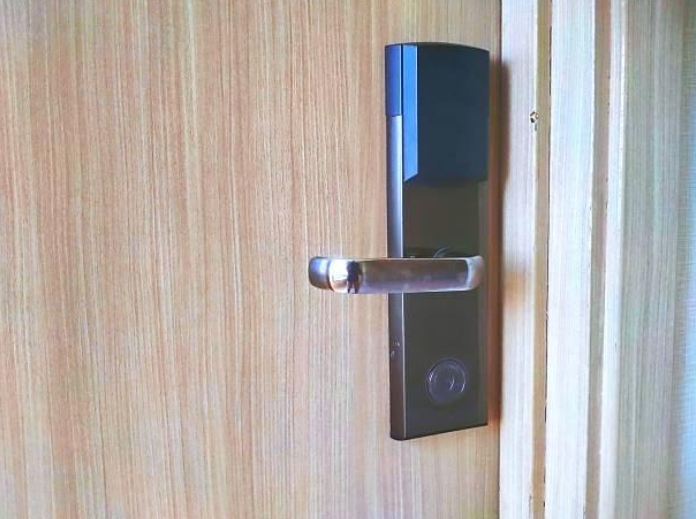
Recent testing and vulnerability disclosures point to a consistent split: most popular models can be defeated through weak defaults, stale firmware, or unencrypted Bluetooth, while a minority built on strong encryption and enforced two-factor authentication hold up.
The documented cases are specific. Locks based on the TTLock/Sceiner platform carried vulnerabilities (tracked as CVE-2023-7006, -7005, and -7003) that let attackers brute-force the unlock key, downgrade the encryption to read it in plain text, and exploit a reused encryption key across keypads (SecurityWeek, 2024). The Ultraloq UL3 BT had a Bluetooth session flaw that allowed replayed unlock commands (disclosed by researchers, 2023). Across these reports the message is the same: a lock’s safety comes down to its encryption strength, whether firmware auto-updates, whether it limits guess attempts, and whether two-factor authentication is required.
That is why two locks that look identical on a shelf can be miles apart. Treat strong AES encryption with mandatory two-factor authentication as the pattern to shop by — models built that way have consistently resisted the brute-force and interception attacks that open weaker ones — rather than a guarantee about any single product.
The security features that actually matter
When you compare locks, four features separate genuinely secure models from risky ones:
AES encryption (ideally AES-256). Scrambles the communication between the lock, app, and cloud so anything an attacker intercepts is useless. This is the single most important spec to look for.
Two-factor authentication (2FA). Requires a second step — an app approval or one-time code — so a stolen or guessed password alone cannot open the lock or hijack the account.
Automatic firmware updates. The lock patches itself as new flaws are found, instead of relying on you to remember. If updates are manual or rare, that is a red flag.
Physical key or keypad backup, on a strong body. A real backup means a dead battery or software glitch never locks you out, and an ANSI/BHMA Grade 1 or 2 lock body resists physical force — not just digital attacks.
Smart lock vs. traditional deadbolt: the real trade-offs
A traditional deadbolt cannot be hacked over the air, but a good smart lock adds control and visibility a deadbolt cannot — so the smart lock vs. deadbolt choice comes down to your priorities. The good news is that many smart locks are built onto a deadbolt body, so you often get both.
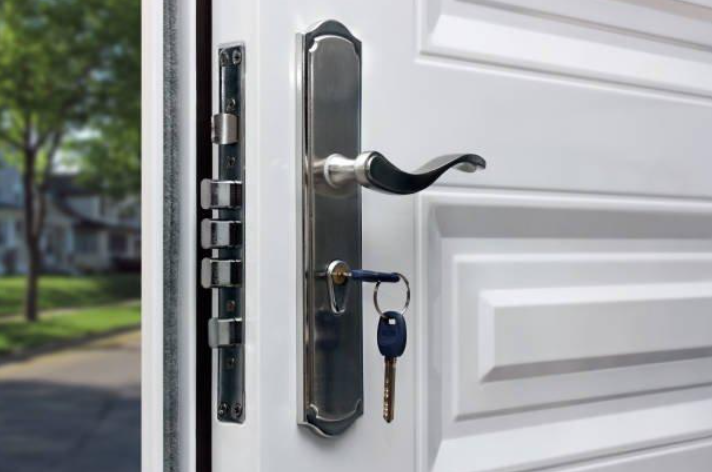
The bottom line: a well-chosen smart lock with strong encryption on a Grade 1 or 2 deadbolt body gives you the physical strength of a deadbolt plus digital control, while a bargain smart lock can be less safe than a quality plain deadbolt. If you want help weighing options for your door, KeyZoo Locksmiths installs and configures smart locks, deadbolts, and traditional locks as part of our residential locksmith and home security services.
Buyer’s checklist and setup steps
Use this checklist to pick a safe smart lock, then follow the setup steps to lock down whichever one you choose.
Before you buy, confirm the lock has:
Strong AES encryption (AES-128 or AES-256) listed on the spec sheet.
Two-factor authentication available — and that you can require it on the account.
Automatic firmware updates from a brand with a track record of patching.
A physical key or keypad backup, on an ANSI/BHMA Grade 1 or 2 body.
After it is installed, lock it down:
Change every default password and PIN right away; use a long, unique code.
Turn on two-factor authentication for the lock’s app and account.
Install firmware updates during setup and enable automatic updates.
Secure your home Wi-Fi with a strong WPA2 or WPA3 password and an updated router.
Delete unused or guest codes and review the access log from time to time.
Keep a physical backup key somewhere safe — not hidden near the door.
Key takeaways
Smart locks can be hacked, and documented cases show popular models falling to brute-force, replay, and man-in-the-middle attacks when they rely on weak defaults, old firmware, or unencrypted Bluetooth. The locks that resist are the ones with strong AES encryption, required two-factor authentication, automatic updates, and a solid physical backup. A smart lock and a deadbolt are not really rivals — the safest setup is a well-encrypted smart lock on a Grade 1 or 2 deadbolt body. Whatever you pick, change the default codes, turn on 2FA, update the firmware, and secure your Wi-Fi.
Frequently asked questions
Can smart locks be hacked?
Yes. Many popular smart locks have documented flaws — weak default codes, outdated firmware, and unencrypted Bluetooth — and can be opened quickly. Models built on strong AES encryption with mandatory two-factor authentication resist these same attacks.
Are smart locks safe to use?
They can be, if you pick one with strong encryption, two-factor authentication, automatic firmware updates, and a physical backup, then change the default codes and secure your home Wi-Fi.
Which is more secure, a smart lock or a deadbolt?
A quality deadbolt has no digital attack surface, while a good smart lock adds remote control and logs but a cheap one can be the weak link. The strongest setup is a well-encrypted smart lock built on a Grade 1 or 2 deadbolt body.
What is the most important smart lock security feature?
Strong AES encryption combined with mandatory two-factor authentication. Without both, the other features matter far less.
Can a smart lock be opened if the Wi-Fi or power goes out?
Most keep working over Bluetooth and run on batteries with low-battery alerts. Choose a model with a physical key or keypad backup so an outage never locks you out.