Subscribe to newsletter
Subscribe to our newsletter and get updates on the newest posts we release.
By subscribing you agree to our Privacy Policy


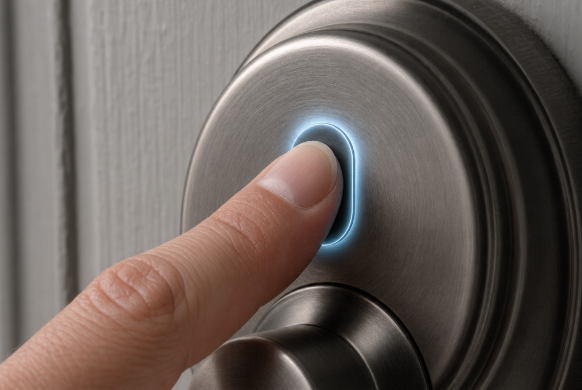
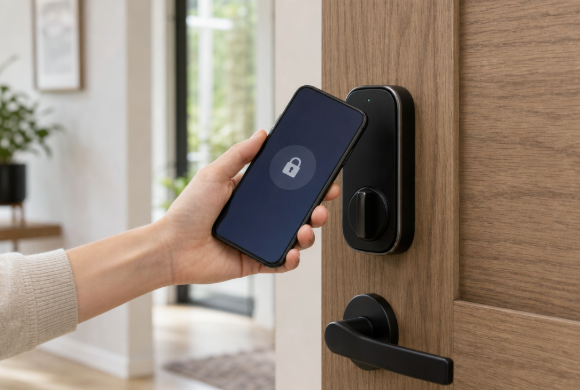
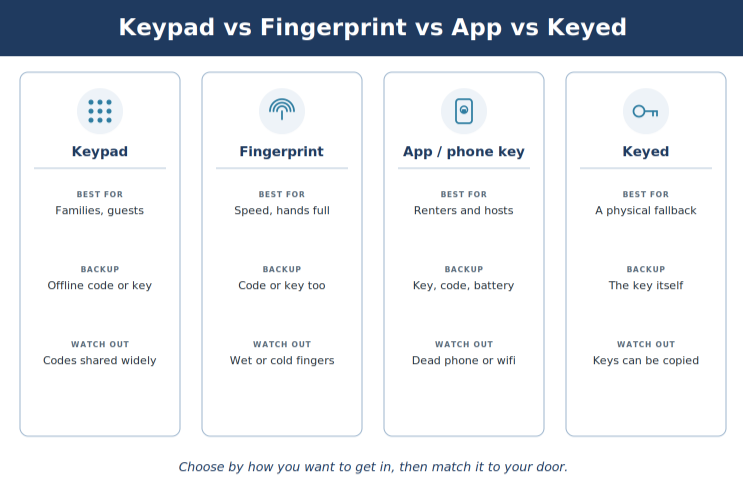
To choose a smart lock in 2026, start with how you want to open the door, not with the brand. Pick a keypad if you want simple code access for the whole family, a fingerprint reader if you want fast hands-free entry, an app or phone key if you want remote control and easy guest access, and a model that still takes a physical key if you want a familiar backup you can hold. Then match that choice to your door, your household, and how you plan to get in if the battery dies or the wifi drops. Keyzoo is a professional locksmith serving homeowners nationwide, and our techs fit these locks on real doors every week. If you already know you want one installed correctly, our residential lock installation service handles the fit, and our 2026 smart lock model picks go deeper on specific brands once you settle on a type. Choose by how you want to get in first (code, fingerprint, phone, or key), then match it to your door and your life. Keypad locks suit families and guests, fingerprint suits speed, an app or phone key suits remote control and short-term rentals, and a keyed model suits anyone who wants a physical fallback. Check the ANSI/BHMA security grade (Grade 1 strongest, Grade 3 the floor) and confirm the lock fits your deadbolt before you buy. Always know your backup plan for a dead battery or a wifi outage, because good locks keep a physical key, an offline code, or spare battery contacts for exactly that moment. Smart locks mostly differ by how they let you in: a keypad code, a fingerprint, a phone or app, or a traditional key, and many models combine two or three of these. A keypad lock lets you type a personal identification number (PIN) on a pad instead of using a key. It suits families and guests, because you hand out a code you can change or delete anytime, not a copy of your key. That answers the keypad vs smart lock question: it is the simplest smart lock, with no phone or app needed. A fingerprint door lock reads your print and unlocks in well under a second on newer models. It is great for quick entry when your hands are full with groceries, kids, or a dog leash. Prints can be fussy with wet or very cold fingers, so these almost always keep a code or key as a second way in. An app-controlled deadbolt lets you lock, unlock, and check the door from your phone, share digital keys with guests, and see a log of who came and went. Some newer locks let your phone act as a tap-to-enter key over near-field communication (NFC), or a hands-free key over ultra-wideband (UWB), the same idea behind a phone-based car key. Many smart locks keep a keyway, so a metal key still opens the door. That is the simplest backup if the power or your phone fails, and it is why plenty of households pick a keypad or app lock that is also keyed, especially with older relatives or a house sitter in the mix. No single type wins on everything, so pick the column that matches how you actually live. The right smart lock for your front door depends less on features and more on who lives there and whether you are allowed to change the hardware. Sort that out and half the options fall away. Renters: choose a retrofit lock that mounts on the inside over your existing deadbolt, so the outside keyhole and key stay the same and you can remove it without a trace when you move. Check your lease first, and see our picks for apartment door locks. Families: a keypad or fingerprint lock gives each person a code or print, so there are no spare keys floating around, and you can delete a code when a babysitter or dog walker moves on. Short-term rental hosts: app or phone-key locks shine here, because you can issue a time-limited code per guest that expires at checkout, plus an access log for peace of mind. Door compatibility: a smart deadbolt replaces your current deadbolt, so it needs a standard bore and the right backset (the distance from the door edge to the center of the hole). A retrofit lock keeps the outside hardware and only swaps the inside thumbturn. A smart lock is only as safe as the deadbolt behind it, so check the security grade and plan a backup way in before you buy. Those are the two things buyers most often skip. Security grade: the American National Standards Institute and the Builders Hardware Manufacturers Association (ANSI/BHMA) grade locks 1 to 3, with Grade 1 the strongest and Grade 3 the bare minimum for a main door (BHMA). We tell clients not to run a Grade 3 lock as the only lock on a primary entry. Standards to know: the Matter standard, run by the Connectivity Standards Alliance, lets one lock work across Apple Home, Google Home, Amazon Alexa, and Samsung SmartThings, and since Matter 1.2 it can report a separate latched state (Connectivity Standards Alliance, 2026). Not every Matter lock uses the same radio: Matter over Thread models tend to respond faster and last longer on battery than Matter over wifi. A newer standard, Aliro (Connectivity Standards Alliance, early 2026), lets phones and watches act as digital keys across both Apple and Android. If ecosystem fit matters to you, our guide to locks that work with Alexa and Google Home is a good next read. Backup access: this is the mistake we fix most. Before buying, ask what happens when the battery dies or the internet is down. A good lock answers with a physical key, an offline backup code, or external contacts where you hold a 9 volt battery against the lock to power it long enough to unlock it. Losing wifi should never lock you out, because the lock itself still works on a code, a print, a key, or Bluetooth. Before you buy any smart lock, measure your door and confirm the lock fits, because most failed installs we see come from a lock that never matched the door. Deadbolt type: is your current lock a standard cylindrical deadbolt, or a mortise lock set into the door edge? Most consumer smart locks fit standard deadbolts, not mortise sets. Backset and bore: measure the backset (2 3/8 inch and 2 3/4 inch are the common sizes) and your door thickness. The box lists what the lock supports. Door and frame condition: if you have to lift or push the door to throw the bolt, the alignment is off, and any motorized lock will jam or burn through batteries. That gets fixed first. Power: most locks run on AA or AAA batteries lasting several months to about a year, and a few use a rechargeable pack. Note the low-battery warning and keep spares on hand. Who installs it: a like-for-like deadbolt swap on a good door is often a screwdriver job. Metal apartment doors, mortise locks, sticking doors, and odd bores are pro territory, so the bolt throws fully and the door still latches. When in doubt, hire a licensed locksmith. Light upkeep is fine to do yourself: wipe the keypad or reader now and then, and change the batteries before they run flat. On cost, smart locks generally run from roughly $100 for a basic keypad deadbolt to $300 or more for a fingerprint or Matter model with a phone key, and professional install is usually a separate, modest add-on. Treat every figure as a rough estimate that shifts by brand, features, and your local market, not a quote. Ask for a written, itemized quote before you book install work. Here is the short version by household, so you can match a type to your situation fast. Families with kids: a keypad or fingerprint lock, keyed as backup, so everyone gets easy entry and you control the codes. Renters: a retrofit app lock over your existing deadbolt, removable at move-out (check the lease). Short-term rental hosts: an app or phone-key lock with time-limited guest codes and an access log. Tech-forward homes: a Matter over Thread lock with fingerprint plus app, so it plays with Apple, Google, Alexa, or SmartThings and stays fast. Anyone who wants zero fuss: a keypad deadbolt that still takes a physical key, the simplest answer this smart lock buying guide can give. Higher security needs: start with a Grade 1 or Grade 2 lock and let the entry features come second. Are keypad, fingerprint, or app locks the most secure? Security comes from the deadbolt and its ANSI/BHMA grade more than the way you get in. A Grade 1 or 2 lock with a keypad can be safer than a flashy Grade 3 fingerprint model, so check the grade first. What happens if the battery dies on a smart lock? Most keep a backup: a physical keyway, an offline code, or external contacts where you hold a 9 volt battery against the lock to power it long enough to get in. Check which backup a lock has before you buy. Can I put a smart lock on any door? Not always. Most fit a standard cylindrical deadbolt with a common backset, but mortise locks, metal doors, and misaligned doors often need adjustment or a locksmith. Do smart locks work without wifi? Yes. The lock still opens by code, fingerprint, key, or Bluetooth if wifi is down. You only lose remote features like checking or opening it from far away. Do renters need permission for a smart lock? Usually yes for anything that replaces the deadbolt. A retrofit lock that mounts inside over the existing deadbolt is the usual renter-friendly choice, but confirm your lease first.Key takeaways
The main types of smart locks, explained simply
Keypad (PIN code) locks
Fingerprint (biometric) locks
App and phone-key locks
Locks that still take a physical key
Quick comparison: keypad vs fingerprint vs app vs keyed
How to match a smart lock to your door and living situation
Security and backup access, the parts people skip
Installation and what to check before you buy
Which smart lock should you pick? A quick guide by user type
FAQ